How it works
Open your project locally.
Point etchpad at the codebase on your machine, etchpad will scan the code and build your map
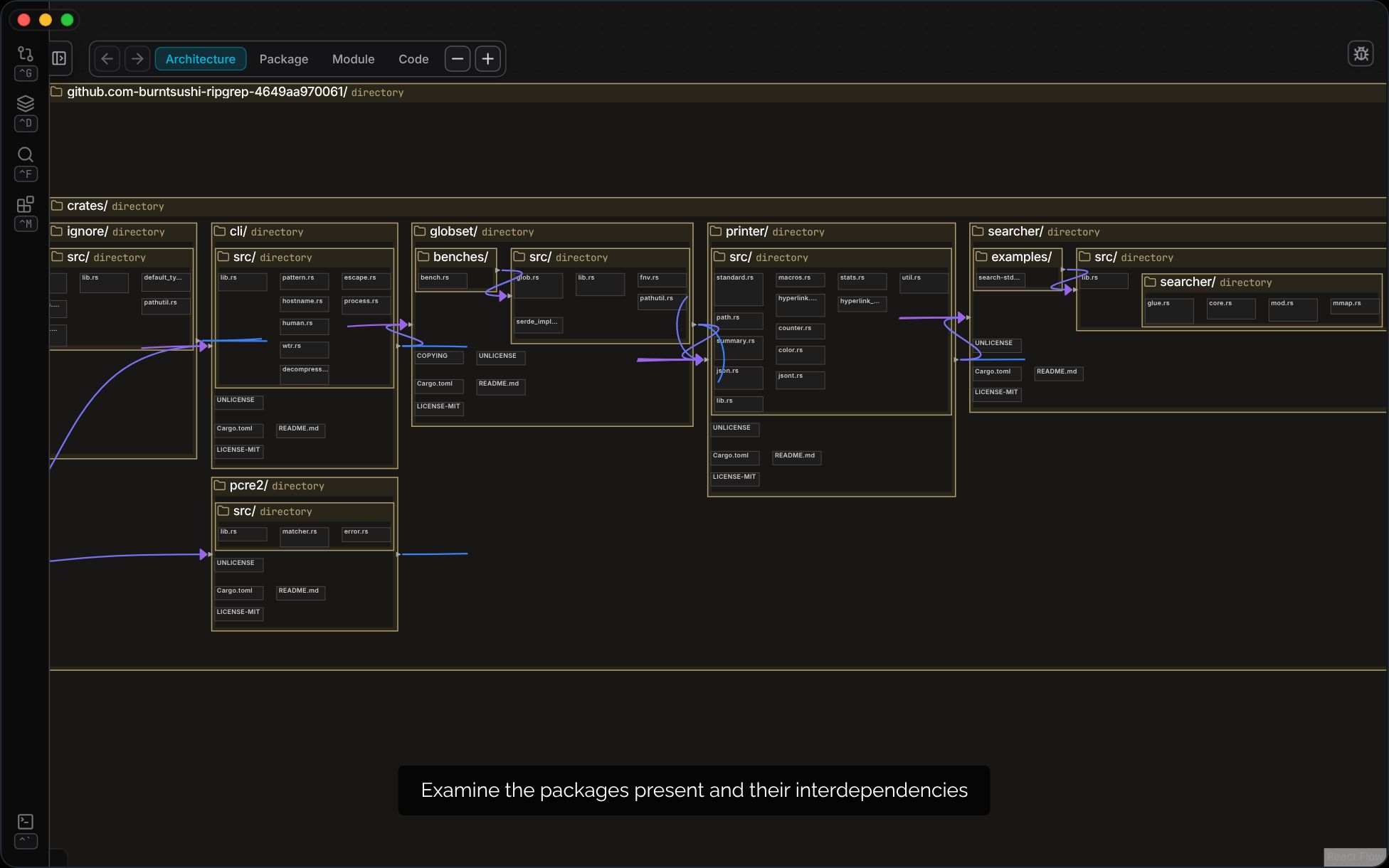
See the structure you already have.
Your existing code is remapped into a live diagram, organised by real dependencies. Every block is a construct in your code, every wire a reference that actually exists. It's generated procedurally from the source. It's factually correct, never out of date, and never hallucinated.
- ✓
Zoom out for architecture; zoom in until you're reading the code
- ✓
Select anything to inspect it: modules, packages, classes, fields, references, dependencies
- ✓
Recent changes surface on the map where they happened as a semantic diff
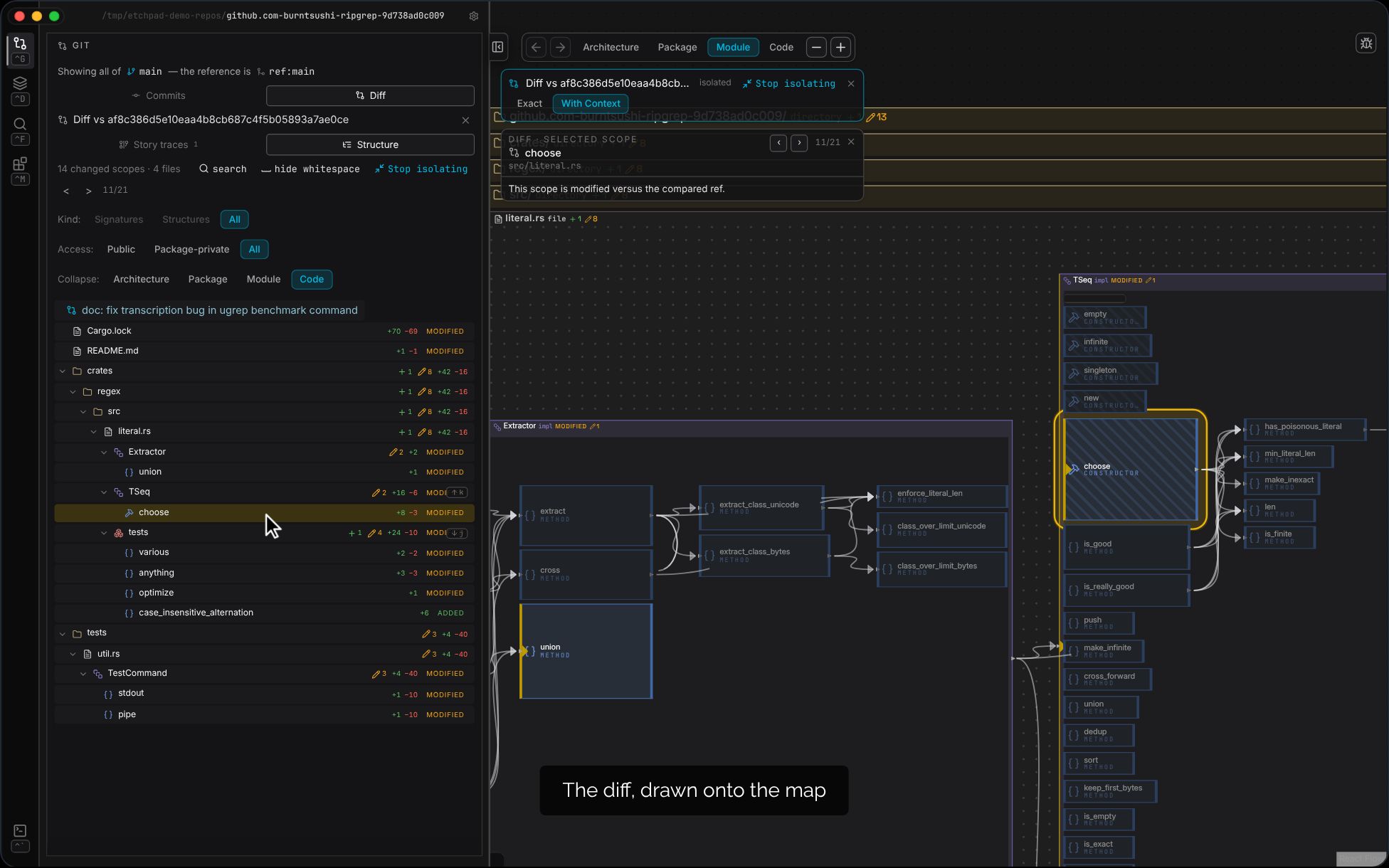
Direct your AI with confidence.
Use the visuals, the semantic diff, and your expertise to see what needs to change next, make edits manually or dispatch to an agent.
Under the hood
Core engineering powering etchpad
Etchpad parses and indexes your codebase to build a semantic model, letting you navigate code semantically.
Etchpad generates a blueprint deterministically from source. Zoom in to read code; zoom out to assess module and package interdependencies and complexity.
Etchpad can (optionally) dispatch Claude Code or Codex to build an AI walkthrough of the hardest parts of your codebase utilising tool calling to the etchpad CLI. Clear separation of the ground truth code and the AI inferences.
Etchpad has a universal abstraction model across programming languages. One visual language to learn for any project, and for multi-language projects.
Etchpad is on a mission to make the most ergonomic UI for devs to understand and ingest their code so that we keep humans in the loop when building valuable systems.
Main pipeline: procedural, traditional, reliable.
AI pipeline: insightful, helpful, overlaid
Supported Languages




Coming Soon
Etchpad is architecturally language agnostic. New languages added on community request.
Unlock a deeper understanding
Transform how you navigate, understand, and modify complex software systems
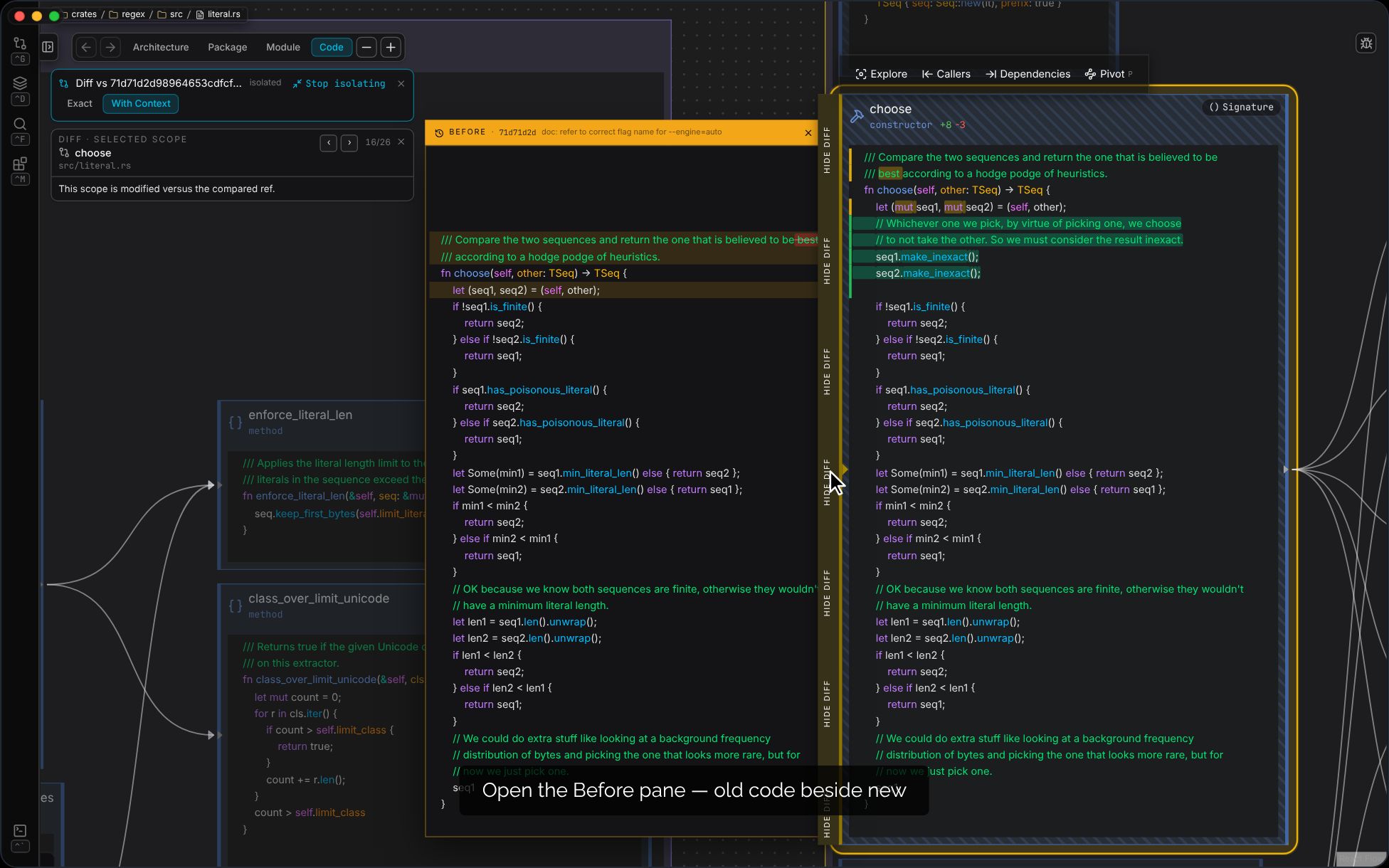
Review diffs with full context
Open a PR or commit as an overlay on the map — see each change where it lives and what it touches. The AI overlays work on the diff, too.
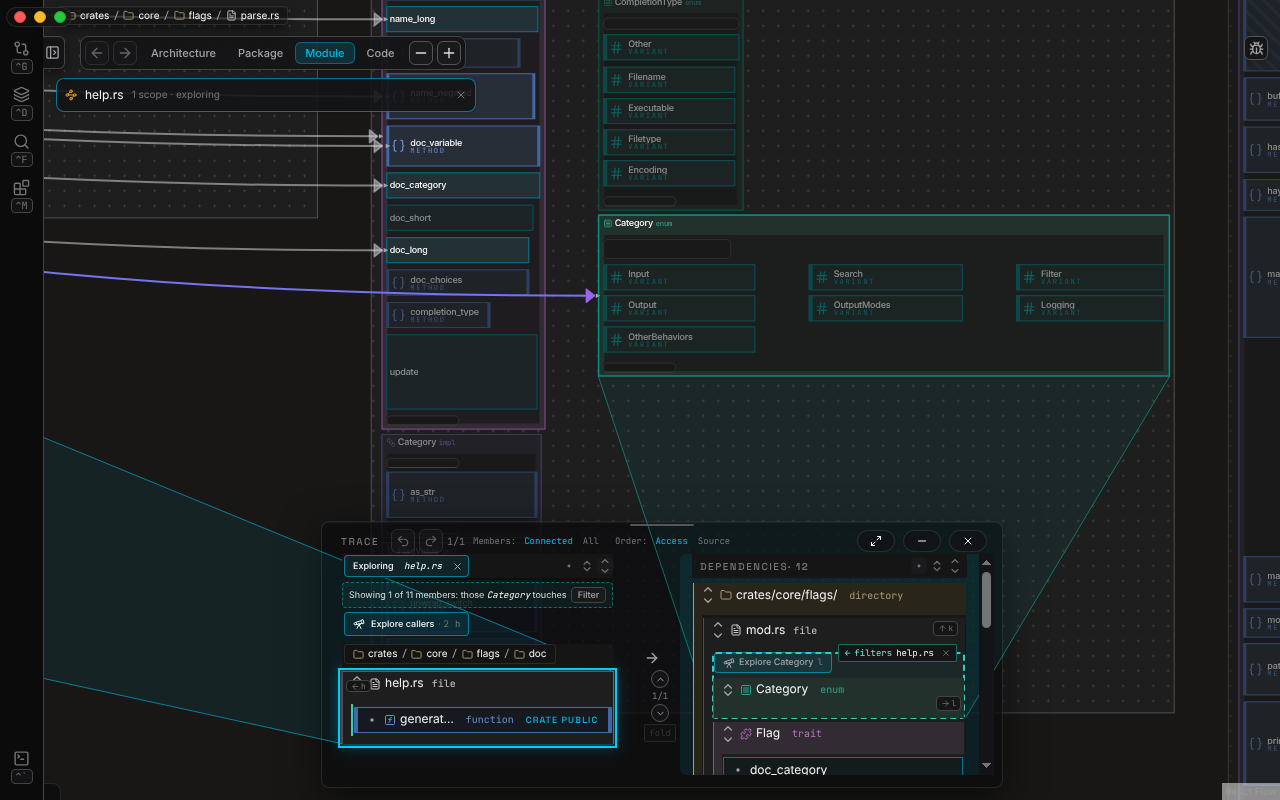
Expose package/module dependencies
Ask what a function depends on, then ask the same of its file, then of its whole package — one mechanic, three altitudes.
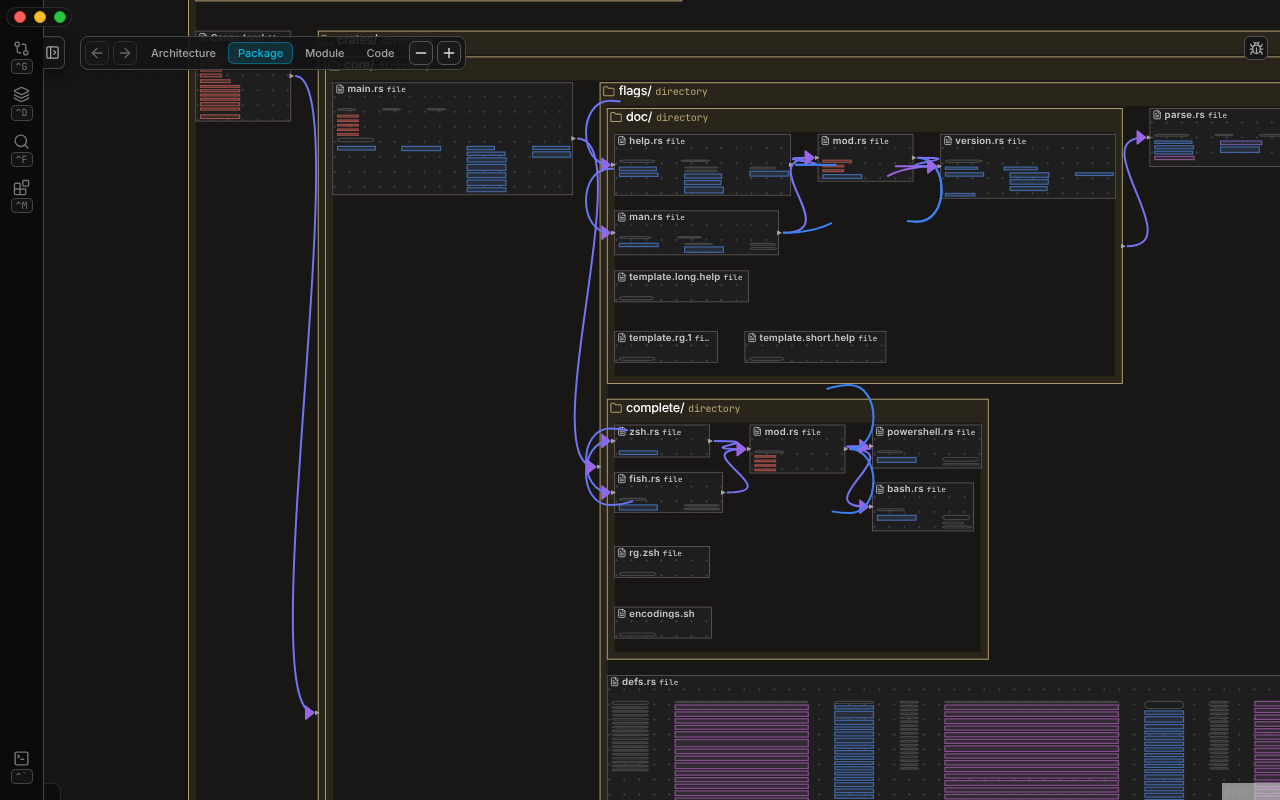
Remember spatially
Use spatial cues to recall structure faster
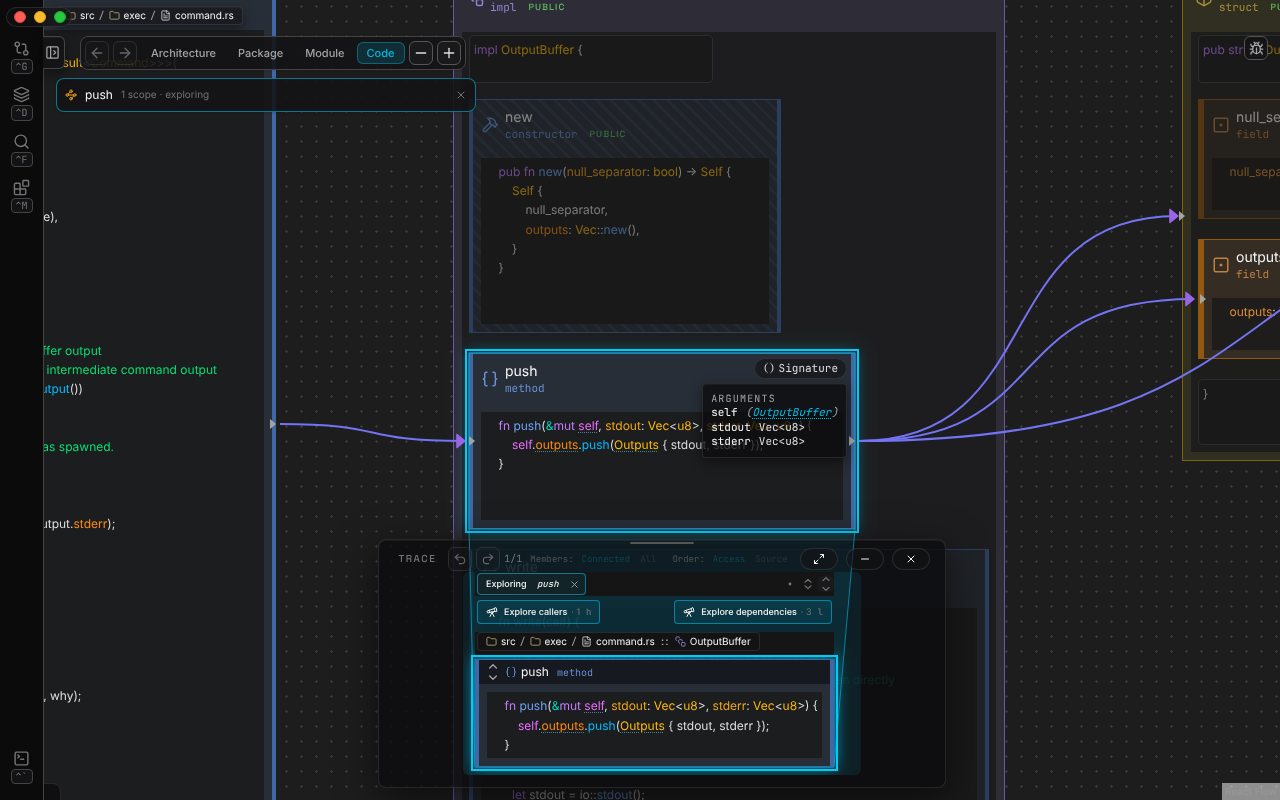
Interact at block level
Blocks delineate code structures — hover for options, select to light up everything it touches
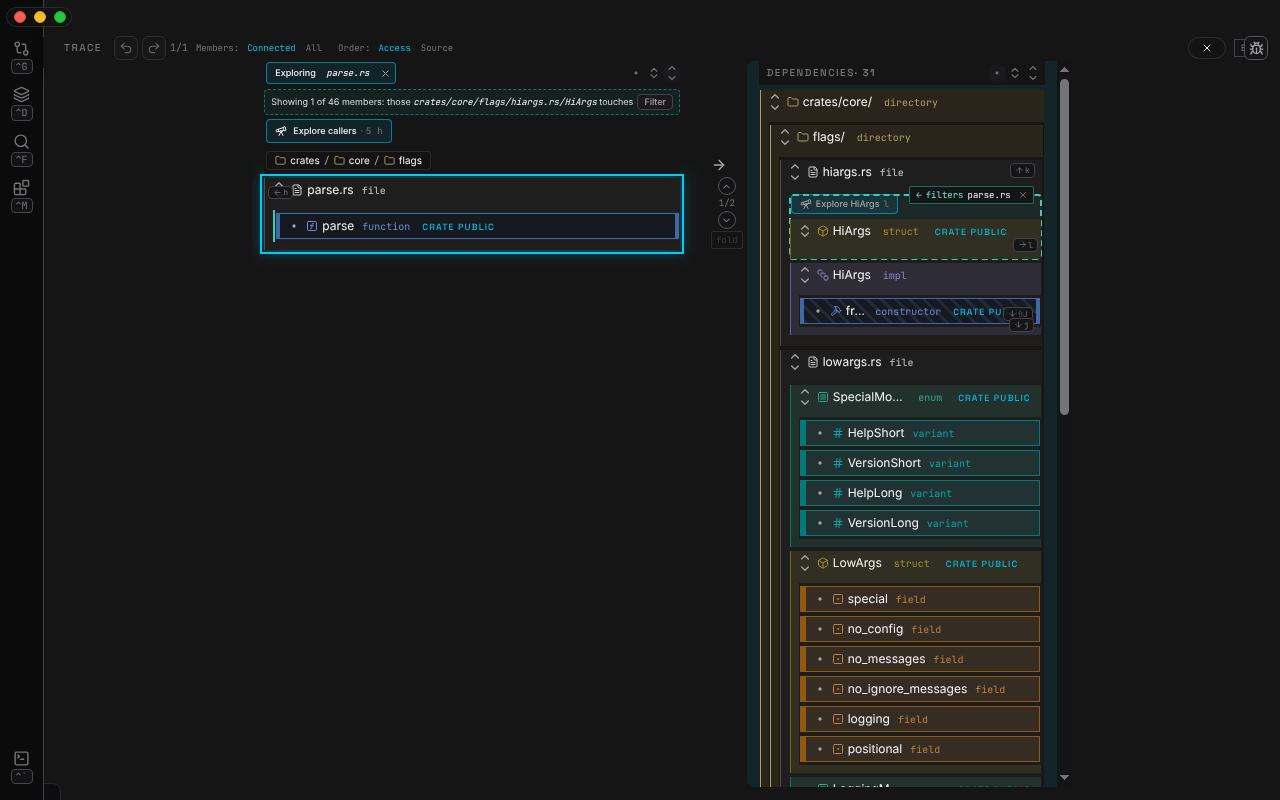
Read one scope at a time
Open any construct on its own — step through everything that calls it, and see exactly which of its parts each caller uses. One press turns the view around to what it depends on.
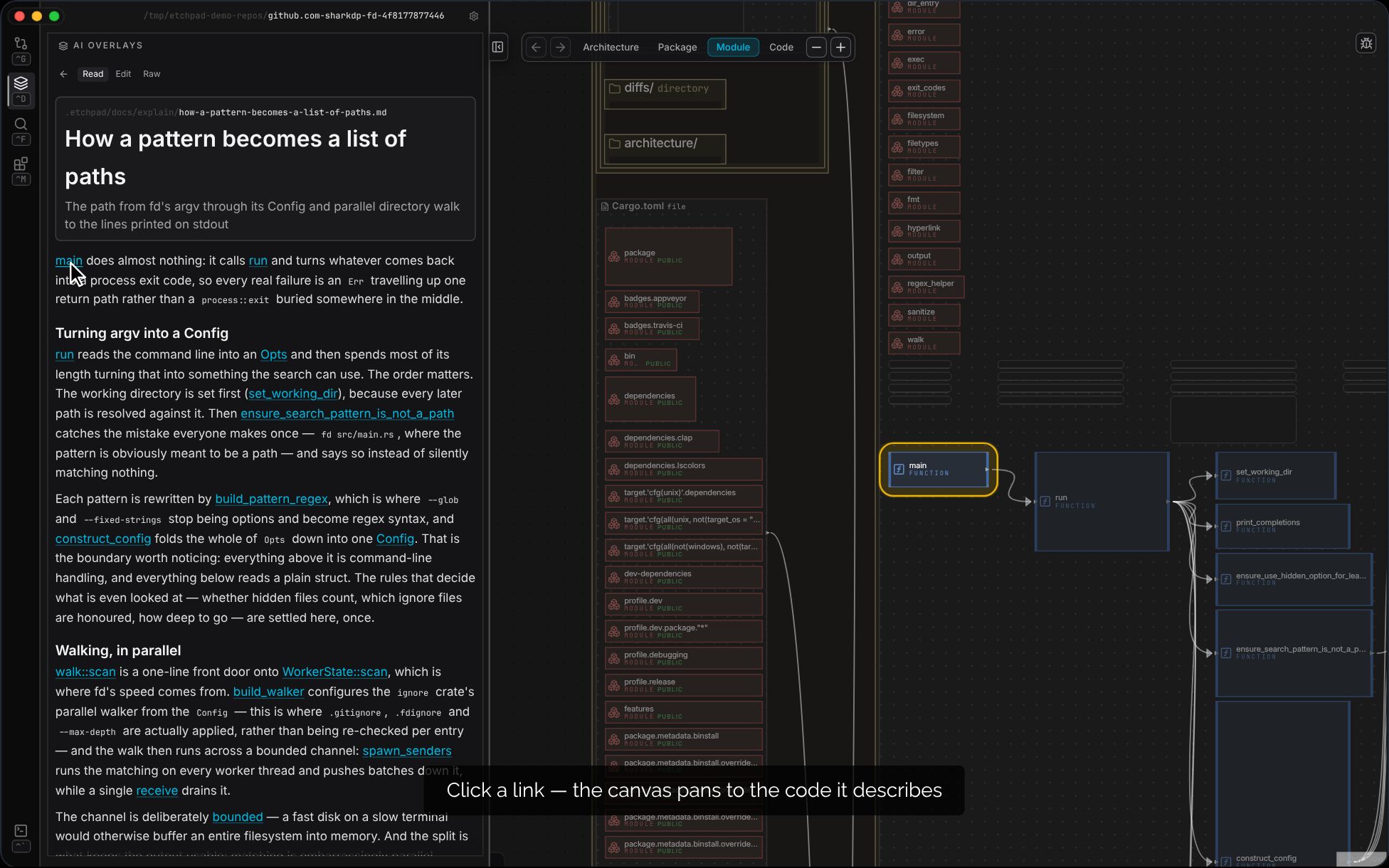
Prose walkthroughs on the map
AI-written explanations of your codebase, pinned to real constructs — every claim links to the code it describes.
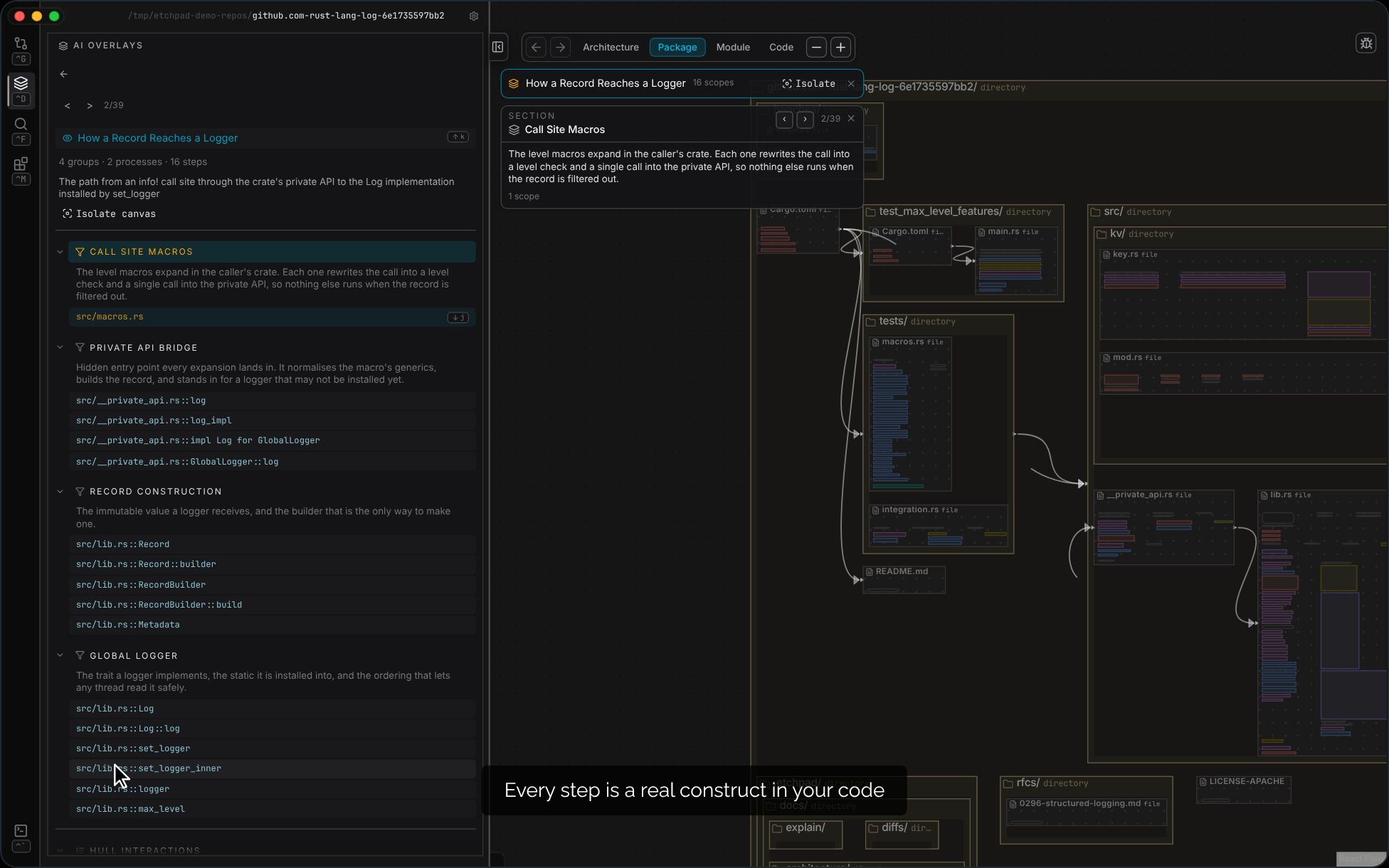
Visual walkthroughs
AI-authored overlays trace the salient paths through the diagram — the architecture, explained on the architecture.

Written in Rust
for stability and performance